
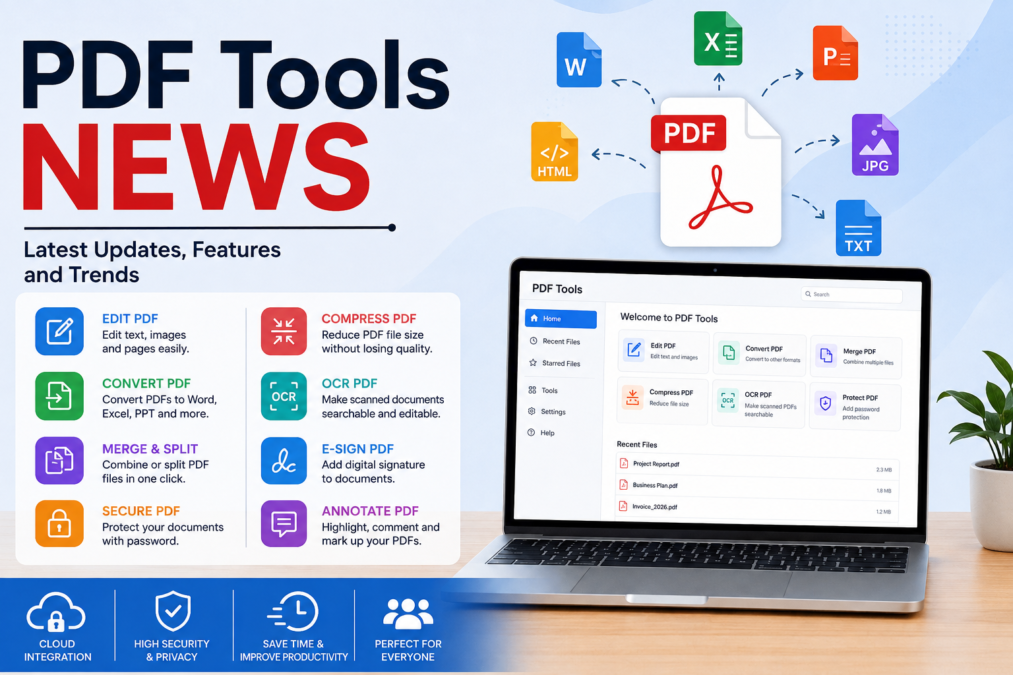

PDF Tools News: Understanding the Changing World of PDF Software
PDF tools news has become an important topic for students, teachers, office workers, businesses, writers, researchers, and everyday internet users. PDF files have been part of digital work for many years, but the tools used to create, edit, organize, protect, and understand them are changing quickly.
A PDF, or Portable Document Format, was created to make documents look consistent across different devices and operating systems. That basic purpose remains important. However, modern PDF software can now do much more than simply open a document.
Today, users can find tools for:
- Creating PDF files.
- Editing text and images.
- Combining several documents.
- Splitting large files.
- Compressing PDFs.
- Converting PDFs into other formats.
- Scanning paper documents.
- Using optical character recognition, or OCR.
- Adding digital signatures.
- Protecting files with passwords.
- Adding comments and annotations.
- Extracting information.
- Summarizing long documents.
- Asking questions about document content.
- Translating selected text.
- Organizing pages and files.
The biggest change is the growing connection between PDF software and artificial intelligence. Traditional PDF programs mostly required users to select commands from menus. Newer tools are increasingly designed to understand what a person wants to accomplish and then help complete the task.
That’s a major shift. Instead of treating a PDF as a static file, modern software is beginning to treat it as an interactive source of information.
What Are PDF Tools?
PDF tools are software applications or online services designed to help users work with PDF documents. Some tools focus on one task, while others provide a complete collection of features.
A basic PDF reader may only allow a person to open, search, and print a document. More advanced applications can change the content, reorganize pages, create forms, add signatures, and protect sensitive information.
There are several major categories of PDF tools.
| PDF Tool Type | Main Purpose |
|---|---|
| PDF Reader | Open, read, search, and print documents |
| PDF Editor | Change text, images, and document elements |
| PDF Converter | Change PDFs into Word, Excel, images, or other formats |
| PDF Compressor | Reduce file size |
| PDF Merger | Combine multiple PDF files |
| PDF Splitter | Separate pages into individual files |
| OCR Tool | Convert scanned text into searchable text |
| PDF Scanner | Create PDFs from paper documents |
| E-Signature Tool | Sign and send digital documents |
| PDF Security Tool | Protect documents and restrict access |
| AI PDF Tool | Summarize, analyze, and interact with documents |
Understanding these categories makes it easier to choose the right tool. You don’t need a huge application for every simple task. Sometimes a small converter or compressor is all you need.
Why PDF Tools News Matters
The world of digital documents is constantly changing. A feature that once required a separate application may now be built into a single PDF platform.
For example, a user may previously have needed one program to scan a document, another to convert it, another to edit it, and another to sign it. Modern platforms increasingly try to combine these tasks.
This matters because people want to save:
- Time.
- Money.
- Storage space.
- Computer resources.
- Repetitive manual work.
Businesses especially benefit from this development. A company handling hundreds or thousands of documents needs efficient ways to process information.
Students can benefit too. A learner working with a long research paper can use document search, OCR, annotations, and summaries to understand information more quickly.
In short, PDF tools news isn’t just about software updates. It’s about how people are changing the way they work with information.
The Rise of AI in PDF Tools
One of the biggest developments in PDF technology is artificial intelligence.
Traditional PDF software follows commands. AI-powered software can interpret natural-language requests.
For example, instead of searching through several menus, a user may be able to ask a tool to:
- Summarize a document.
- Find important dates.
- Explain a difficult section.
- Identify key points.
- Rewrite selected text.
- Compare information.
- Locate a particular topic.
- Extract information from a long report.
This can be particularly useful when working with lengthy documents.
Imagine receiving a 150-page report on Friday afternoon. Nobody wants to spend hours searching every page just to find five important facts. An AI-powered PDF tool can potentially make that first review much faster.
However, AI isn’t perfect. Users should still check important information manually, especially when dealing with legal, financial, academic, or business documents.
PDF Summarization Is Becoming More Useful
Long documents can be difficult to read. Modern PDF software increasingly includes summarization features that can help users understand the main ideas.
A good summary can help identify:
- The purpose of a document.
- Major sections.
- Important arguments.
- Key findings.
- Important dates.
- Main conclusions.
This doesn’t mean people should stop reading original documents. A summary is best viewed as a starting point.
For example, a researcher might use a summary to decide whether a 60-page report is relevant. If it is important, the researcher can then read the original document carefully.
This approach can save time without replacing human judgment.
PDF Tools and OCR Technology
OCR stands for Optical Character Recognition. It is a technology that recognizes text inside scanned images.
Suppose you have an old paper document that was scanned into a PDF. Without OCR, the words may simply be pictures. You might be able to see them, but you can’t easily search or edit them.
OCR changes that.
After processing, the software can identify letters and words, allowing users to:
- Search the document.
- Copy text.
- Extract information.
- Edit recognized content.
- Create accessible documents.
- Organize scanned records.
OCR is especially useful for schools, libraries, government offices, businesses, and archives.
Of course, OCR accuracy depends on the quality of the original scan. Blurry pages, unusual fonts, handwriting, stains, and poor lighting can make recognition more difficult.
That’s why users should always check important OCR results.
PDF Conversion Tools
PDF conversion remains one of the most popular document tasks.
People often need to convert PDFs into:
- Microsoft Word documents.
- Excel spreadsheets.
- PowerPoint presentations.
- JPG images.
- PNG images.
- Plain text.
- HTML.
- Other document formats.
Conversion is useful when a PDF contains information that needs to be edited or reused.
For instance, a student may receive a PDF worksheet and need to move some information into a Word document. A business may need to extract tables from a PDF into a spreadsheet.
However, conversion isn’t always perfect.
Complex layouts can sometimes change during conversion. Fonts, tables, images, spacing, and page breaks may move.
Therefore, converted files should be reviewed before they are published or shared.
PDF Compression and Why It Matters
Large PDF files can create practical problems.
A document containing many high-resolution images may become too large to email or upload. PDF compression reduces file size while attempting to preserve useful quality.
Compression can help with:
- Email attachments.
- Website uploads.
- Cloud storage.
- Mobile sharing.
- Online applications.
- Document archives.
There is a trade-off, though. Strong compression may reduce image quality.
For text-heavy documents, this may not matter much. For design portfolios, photography collections, or detailed graphics, quality can be more important.
The best approach is to choose compression based on the purpose of the document.
PDF Editing Is Becoming More Flexible
Editing a PDF used to be frustrating. A PDF was often treated as a final document rather than something that could be changed easily.
Modern editors have improved this experience.
Users can often modify:
- Text.
- Fonts.
- Images.
- Page order.
- Links.
- Headers.
- Footers.
- Watermarks.
- Comments.
Page management is also important. A user may need to rotate a page, delete an unnecessary page, extract a few pages, or combine documents.
These simple functions can make a big difference in everyday work.
Digital Signatures and PDF Tools
Digital signing has become an important part of modern document workflows.
Instead of printing a contract, signing it with a pen, scanning it, and emailing it back, users can often sign documents electronically.
PDF signature tools can help with:
- Contracts.
- Permission forms.
- Business agreements.
- Applications.
- Invoices.
- Internal company documents.
Electronic signatures can reduce paper use and speed up workflows.
However, businesses should understand the legal requirements that apply to their particular documents and locations. Not every document has identical requirements, and some situations may require stronger forms of digital authentication.
PDF Security and Privacy
PDF security is another major part of current PDF tools news.
Documents may contain sensitive information such as:
- Personal identification details.
- Financial records.
- Business information.
- Medical documents.
- Academic records.
- Legal material.
- Confidential contracts.
Security tools may allow users to apply passwords, restrict editing, limit copying, or encrypt documents.
Redaction is also important. Redaction permanently removes sensitive information from a document when performed correctly.
Simply placing a black box over text isn’t always enough. A proper redaction tool should remove the underlying information so it cannot be recovered through ordinary document inspection.
That’s a small detail, but it’s a big deal for privacy.
Cloud-Based PDF Tools
Cloud-based PDF services have changed how people access documents.
Instead of installing software on one computer, users can often upload a document and work with it through a web browser.
Benefits can include:
- Access from multiple devices.
- Easier collaboration.
- Automatic saving.
- Online sharing.
- Reduced installation requirements.
- Integration with other cloud services.
However, cloud services also raise privacy questions.
Before uploading a sensitive document, users should check:
- Where the file is processed.
- How long it is stored.
- Whether it is used for service improvement.
- Who can access it.
- How it is protected.
- How the file can be deleted.
Convenience is useful, but privacy shouldn’t be ignored.
Mobile PDF Tools Are Growing
People don’t work only on desktop computers anymore. Smartphones and tablets have become important document tools.
Modern mobile PDF applications can allow users to:
- Scan documents using a camera.
- Create PDFs.
- Sign forms.
- Add notes.
- Highlight text.
- Merge files.
- Share documents.
- Search files.
- Convert pages.
- Compress documents.
For someone who travels frequently, mobile PDF tools can be extremely convenient.
Imagine needing to sign a form while away from the office. Instead of finding a printer and scanner, you may be able to complete the process from your phone.
That convenience explains why mobile PDF technology continues to develop.
PDF Tools for Students
Students are among the biggest users of digital documents.
A student may use PDF software to manage:
- Textbooks.
- Research papers.
- Lecture notes.
- Assignments.
- Study guides.
- Exam papers.
- Research articles.
Useful features include highlighting, annotations, search, bookmarks, OCR, and document summaries.
AI-powered tools can also help students understand difficult material. However, students should use AI responsibly.
AI should support learning rather than replace it.
For example, asking an AI tool to explain a difficult paragraph can be helpful. Submitting AI-generated work as original academic work may violate school or university rules.
The smartest approach is to use PDF technology as a learning assistant, not a shortcut around learning.
PDF Tools for Businesses
Businesses often manage large numbers of documents.
PDF tools can help organizations organize:
- Contracts.
- Invoices.
- Reports.
- Employee documents.
- Customer records.
- Presentations.
- Marketing materials.
- Legal paperwork.
Automation can reduce repetitive tasks.
For example, instead of manually reviewing hundreds of files, a business may use document-processing technology to identify certain information.
This can improve productivity, but organizations must also consider security, access controls, compliance, and data retention.
A powerful tool isn’t automatically a good business solution. It must fit the company’s actual needs.
PDF Accessibility Is an Important Trend
Accessibility is sometimes overlooked when people discuss PDF tools, but it’s extremely important.
A properly structured PDF can be easier for people using assistive technologies to navigate.
Accessibility may involve:
- Proper headings.
- Meaningful reading order.
- Alternative text for images.
- Searchable text.
- Correct language settings.
- Accessible tables.
- Properly labeled form fields.
An inaccessible document can create barriers for readers with disabilities.
As digital information becomes more important, accessibility should be treated as a core document-quality issue rather than an optional extra.
Open-Source and Offline PDF Tools
Not every user wants to upload documents to the cloud.
Offline PDF applications can be useful when privacy is important or when an internet connection isn’t available.
Open-source projects also offer an alternative approach. Their source code can be inspected, modified, or distributed under the terms of their licenses.
Offline tools can be particularly useful for:
- Confidential documents.
- Sensitive business records.
- Private research.
- Government-related work.
- Limited-internet environments.
However, users should still choose software carefully. Open-source doesn’t automatically mean secure, and commercial software isn’t automatically unsafe.
Security depends on how the software is designed, maintained, updated, and used.
How to Choose the Right PDF Tool
With so many options available, choosing a PDF tool can feel overwhelming.
Before selecting software, ask yourself what you actually need.
For Basic Reading
A simple PDF reader may be enough.
For Editing
Look for text, image, and page-editing functions.
For Scanning
Choose a tool with reliable scanning and OCR.
For Businesses
Consider collaboration, security, permissions, and workflow integration.
For Students
Search, annotation, bookmarks, and summarization can be especially useful.
For Sensitive Documents
Prioritize encryption, privacy controls, and secure processing.
For Frequent Conversion
Look for reliable Word, Excel, PowerPoint, and image conversion.
The best PDF tool isn’t necessarily the one with the most features. It’s the one that solves your problem without unnecessary complexity.
PDF Tools News and the Future of AI
The future of PDF software is likely to become increasingly conversational.
Instead of clicking through menus, users may simply describe what they want.
For example:
“Find the three most important conclusions in this report.”
Or:
“Combine these files, remove blank pages, and organize them by date.”
This type of interaction could make software easier for people who aren’t familiar with complicated menus.
AI may also become better at understanding document structure. Rather than seeing only words and pages, future tools may understand relationships between headings, tables, images, references, forms, and other elements.
Still, human oversight will remain important.
AI can make mistakes. It can misunderstand context, misread scanned content, or provide an incorrect answer. For important documents, people should verify the original source.
PDF Tools News and Document Automation
Automation is another major area of development.
Imagine a company receiving hundreds of invoices each month. A document automation system could potentially:
- Identify invoice files.
- Extract names.
- Recognize dates.
- Find invoice numbers.
- Read totals.
- Organize files.
- Send information to another business system.
This can save employees from repetitive data-entry work.
Automation is especially valuable when the same process happens again and again.
However, automated workflows need careful testing. One incorrect extraction could create a larger problem if the error is repeated across hundreds of documents.
The Importance of Human Review
Technology can save time, but it shouldn’t remove human judgment from every process.
This is especially true when documents involve:
- Legal agreements.
- Financial information.
- Medical records.
- Government documents.
- Academic research.
- Important business decisions.
A PDF tool can identify information quickly, but a person should determine whether the result is correct and appropriate.
This combination is powerful:
Technology for speed + humans for judgment = better document workflows
That balanced approach is likely to remain important as PDF technology becomes more advanced.
Common Mistakes When Using PDF Tools
Even good software can be used incorrectly.
Common mistakes include:
- Uploading confidential documents without checking privacy policies.
- Assuming OCR is always accurate.
- Trusting AI summaries without checking the original.
- Compressing files too aggressively.
- Forgetting to protect sensitive documents.
- Using fake or suspicious online PDF websites.
- Downloading software from unknown sources.
- Failing to update PDF applications.
- Sharing documents with the wrong permissions.
Avoiding these mistakes can make PDF workflows safer and more reliable.
PDF Tools News: What Users Should Watch For
People following pdf tools news should pay attention to several important areas.
Artificial Intelligence
AI will likely remain one of the biggest areas of development.
Privacy
Users are becoming more aware of what happens to uploaded documents.
Security
PDF files can contain sensitive information, making strong security essential.
Accessibility
More organizations are recognizing the importance of accessible digital documents.
Automation
Businesses want to reduce repetitive document work.
Cross-Platform Support
People increasingly expect their documents to work across phones, tablets, computers, and web browsers.
Better User Experience
Powerful features are useful only when people can understand how to use them.
These trends are likely to shape the next generation of PDF software.
A Practical PDF Workflow
A simple workflow can help users manage documents efficiently.
Create or receive the PDF
↓
Check the document
↓
Scan or use OCR if necessary
↓
Edit or organize pages
↓
Compress if needed
↓
Add comments or signatures
↓
Protect sensitive information
↓
Review the final document
↓
Share or archive it
This process helps reduce mistakes and keeps document management organized.
Frequently Asked Questions About PDF Tools News
What does PDF stand for?
PDF stands for Portable Document Format. It is designed to preserve the appearance and structure of documents across different systems.
What is the most useful PDF tool?
There isn’t one tool that is best for everyone. The right choice depends on whether you need editing, conversion, scanning, signing, compression, security, or AI features.
Can PDF tools edit text?
Many advanced PDF editors can edit existing text, although the exact capabilities vary between applications and document types.
What is OCR in a PDF?
OCR, or Optical Character Recognition, identifies text inside scanned images so that it can become searchable and sometimes editable.
Are online PDF tools safe?
Some are reliable, but users should always check privacy and security practices before uploading sensitive documents.
Can AI read PDF documents?
Modern AI-powered PDF tools can analyze documents, summarize information, and answer questions about their contents. Important answers should still be checked against the original document.
Can PDF files be compressed?
Yes. PDF compression can reduce file size, making documents easier to store, email, and upload.
Can PDFs be signed digitally?
Many PDF applications support electronic or digital signing features. The appropriate signing method depends on the document and legal requirements.
Are free PDF tools useful?
Yes. Free tools can be excellent for basic tasks such as reading, merging, splitting, or converting files. Advanced users may need additional paid features.
Final Thoughts on PDF Tools News
The world of pdf tools news is moving far beyond the traditional PDF reader. Today’s document technology increasingly combines editing, conversion, scanning, OCR, security, collaboration, automation, and artificial intelligence in a single workflow.
The biggest change is perhaps the move from simple commands to intelligent assistance. Instead of asking users to understand every menu, newer systems are increasingly designed to understand natural-language instructions and help complete complicated document tasks.
At the same time, users shouldn’t become overly dependent on automation. Important documents still require human review, especially when accuracy, privacy, accessibility, or legal responsibility matters.
The future looks promising. PDF tools are becoming faster, smarter, more flexible, and easier to use. As AI and automation continue to develop, PDF documents may become less like static files and more like interactive workspaces for reading, analyzing, creating, and sharing information.
For anyone following pdf tools news, the key lesson is simple: don’t focus only on flashy new features. Look at security, privacy, accuracy, accessibility, ease of use, and the real problem a tool solves. By choosing technology carefully and using it responsibly, individuals and organizations can make their document workflows faster, safer, and more productive.
The future of pdf tools news is ultimately about making information easier to manage while keeping people in control of the documents that matter most.
Explore more insightful articles on All Vantage News and never miss an update.Contact Us.